Discover the sound of your class.
The student repeats a pitch, taps or claps a rhythm and identifies the higher of two sounds. The app analyses pitch and rhythm; its results support teacher judgment.
Pitch · Rhythm · Listening

Your class 7-A is preparing a folk song for the 23 April school celebration. Get to know the students, choose the piece, adapt parts to the class and plan weekly rehearsals. Tamtamo brings all five stages into one app.
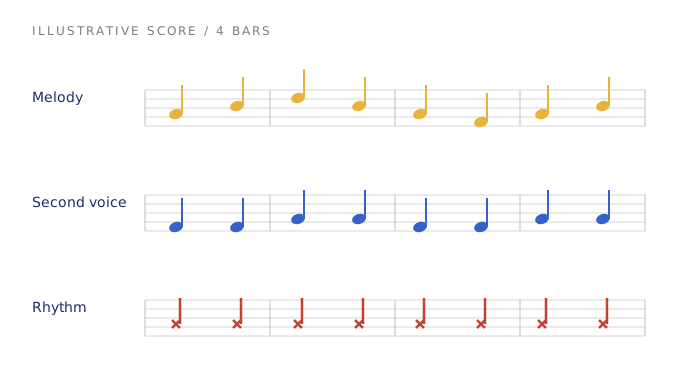
Not everyone needs to play
the same thing.
Find a score, check whether it suits the class, organise instrument groups and sequence the rehearsals. Tamtamo connects these tasks around the same class and piece, keeping teacher judgment at the centre.
The student repeats a pitch, taps or claps a rhythm and identifies the higher of two sounds. The app analyses pitch and rhythm; its results support teacher judgment.
Explore the initial library of 154 works, including sources, copyright labels and review flags. Add a missing piece from a score photo, audio, PDF or MusicXML, then check and save the notes.
Prepare suitable melody, second-voice, recorder and rhythm parts. Then set your goal, number of weeks and lesson length to create a weekly practice flow.
Class, repertoire, notation, arrangement and rehearsal:
each stage informs the next.
See pitch, rhythm and listening results in the class profile. Review suggested roles alongside each student’s instrument and your own observations.
See app availability ↗Record yourself singing or playing; work with an audio file, a score image or MusicXML. Check the resulting notes and add them to your own library.
Automatic transcription is a starting point. Teachers should check the result, especially with polyphonic or noisy recordings.
Go to downloads ↗Working records include a student name or nickname, instrument and assessment results. Privacy pages explain temporary audio processing, backups, permissions and deletion.
Read how data is handled ↗If you haven’t found your answer,
visit the support centre ↗
It combines getting to know the class, choosing or transcribing a piece, preparing group parts and planning weekly rehearsals for a school performance.
The app analyses pitch and rhythm and scores responses to sound comparisons. These are preliminary classroom indicators; teacher observation and final judgment remain essential.
No. The reviewed version has 154 works, with 135 flagged for review after automatic score recognition. Compare flagged works with the official source and correct uncertain notes before use.
No. Source and copyright labels support your checks. A work, arrangement, edition and recording may carry separate rights. Adding it from an image or audio does not itself grant permission.
The current workspace builds a weekly plan from your goal, week count and lesson duration. It does not yet have a date picker that automatically calculates the remaining weeks.
With a configured connection, AI can help with class/event-based repertoire suggestions, class comments, arrangements and rehearsal plans. Rule-based tools also exist. AI is not presented as an active service until its server/provider is connected.
Tamtamo is being prepared as a mobile app. Google Play and App Store links will be enabled here when released. This site does not provide a browser workspace or HTML app download.
Create your first class. Choose your piece.
Make room for music everyone can join.